
The take is almost right. The camera move is good, the timing is good, the person is good, and one thing is wrong: a truck where you wanted something else, a basket of fruit that should not be there, the wrong jacket. Regenerating the whole shot to fix it means losing everything that worked. What you want is an edit that touches one object and leaves the rest of the clip alone.
Six tools are built for that. All six are described here from their vendors’ pages and documentation, with the prices those vendors list. We have used one of them, Higgsfield Genjutsu, on a real object job, with the frames below. We have run Seedance 2.5 Video Edit only on a whole-room restyle. We have not run the others.
To remove an object, mark it on a frame where it is fully visible if your tool allows that, ask for it to go in one short sentence, and say the rest stays unchanged. For other jobs, such as removing a background or replacing a person, start with the AI video editing guide.
Three tools from their own documentation
| Seedance 2.5 Video Edit | Beeble SwitchX 2.0 | Gemini Omni Flash | |
|---|---|---|---|
| How you point at the object | A text prompt that names it; some hosts add a way to mark a region | Select mode: click the objects. Auto mode: it tracks the main subject. Upload: your own matte | A text prompt, plus reference ingredients |
| How you show the new look | Prompt, up to 30 reference images | Prompt and one reference image showing the result | Prompt, optional ingredients |
| What it keeps | Subject identity, composition and motion | Unmasked areas keep the original footage, relit to blend in | Not stated by Google |
| Best at | Swapping a subject, adding or removing an object, changing the setting | Background swaps, relighting, outfits | Quick prompt edits |
| Clip length | 4-30 s | Up to 480 frames, 20 s at 24 fps | Up to 10 s |
| Price for 5 s | about $1.38 on BytePlus, $2.20 on WaveSpeed; input and output both bill | 30 credits, about $1.06 on the $19 Creator plan | about $0.50 output on Google’s API, plus input tokens |
| Watch for | A 5-second edit bills as 10 seconds | Beeble warns that vague prompts give poor results | Flow shows its credit cost only in the prompt box |
Seedance 2.5 Video Edit: name it, keep the rest
ByteDance’s model edits an input video from a prompt, keeping the subject’s identity, the composition and the motion. Output follows the length and shape of the source, and references are named in the prompt, such as @Image 1. Hosts differ: the API takes words only, and some apps add a way to mark a region on a frame.
The pattern to copy: if you can mark the object, choose a frame where it is fully visible, write one short instruction in your own words, and end by saying everything else stays unchanged. Resolution is the main cost lever. A 5-second edit lists at about $1.38 at 720p on BytePlus and about $3.40 at 1080p, so test small. We have run this model on a talking-head restyle, not on a single-object edit.
Beeble SwitchX: mask what changes, keep the rest
Beeble sums SwitchX up as “switch anything, keep what matters”. Masked areas are generated from your prompt and a reference image. Unmasked areas keep the original footage, relit and restyled to blend into the new setting. The reference is a blueprint of the result, showing the subject and setting together with the light already decided.
- Auto finds and tracks the main subject. Beeble suggests it for background swaps and relighting.
- Select lets you click what gets generated, for targeted changes such as a new outfit. Add separate parts, such as a face and a hand, as separate objects, and use Invert to limit the generation to one object’s area.
- Fill takes the whole frame, keeping the geometry while changing the light or style.
- Upload takes a matte from software such as Nuke or After Effects.
Be specific about the setting, light and mood. Version 2.0 takes up to 480 frames, and it lists 6 credits a second at 720p and 20 at 1080p. On the $19 Creator plan with 540 credits, that is about $1.06 or $3.52 for 5 seconds. We have not run it.
Gemini Omni Flash: the low price, with fewer guarantees
Some apps call this Veo Omni Flash. In Google Flow it can edit uploaded and generated videos with new prompts and ingredients, up to 10 seconds long, in either aspect ratio. Its advantage is price: Google’s API lists about $0.10 a second of 720p output, against more than twice that for the other two once their billing is counted.
Google does not promise what stays untouched, and we have not run it for an object edit. So state what to change and what to keep, budget for a second try, and check the whole clip.
Three more: Genjutsu, Aleph and Kling O1 Edit
These three take the same idea further: you upload the clip, describe the change, and attach the new object as a reference. None of them asks you to draw a mask; each finds and tracks the object from the words. That is faster, and it is also where they fail, as our own job shows.
| Higgsfield Genjutsu | Runway Aleph 2.0 | Kling O1 Edit | |
|---|---|---|---|
| How you point at the object | A short description; it targets the element you name | A text instruction | A text instruction with @Element and @Image tags |
| How you show the new look | Up to 30 reference images | Prompt, optional reference | Up to 4 elements and style images |
| Best at | Swapping a product, a prop, an outfit or a location | Real footage: replace, remove, relight, change weather or wardrobe | Character and object swaps that keep the motion |
| Clip length | 4-30 s | 2-30 s, up to 10 cuts | 3-10 s |
| Resolution | Up to 1080p | 480p-1080p, 24-30 fps | 720p-4K input, output matches |
| Price | 144 credits for 15 s at 1080p, about $7.20 by Higgsfield’s figure | 28 credits per second in the app; $0.28/s by API | $0.126/s Standard, $0.168/s on fal |
Genjutsu on a real job: the books it found, and the sheets it did not
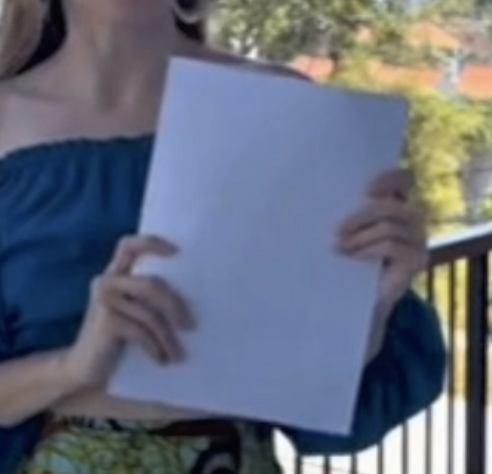
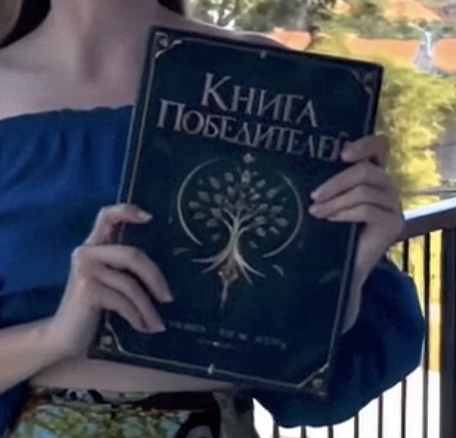
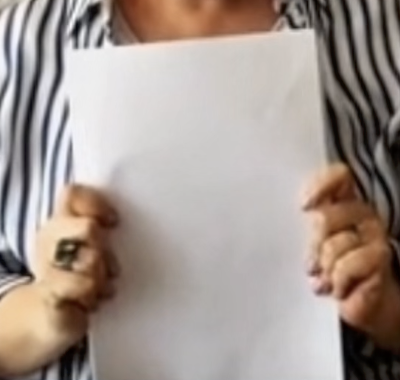
Our case was a 108-second montage in which more than ten people, each filmed separately, hold up a book, a card or a blank sheet of paper, and every one of them had to become the same green book. The prompt was explicit: replace every book and every white paper or card being held up with the green book from the reference, keep the hands in front, change nothing else.
Genjutsu swapped the books it recognised as books. One participant held a different green book, filmed mirrored by a selfie camera; it came back as our cover, the right way round, with the title, the tree emblem and both hands intact.
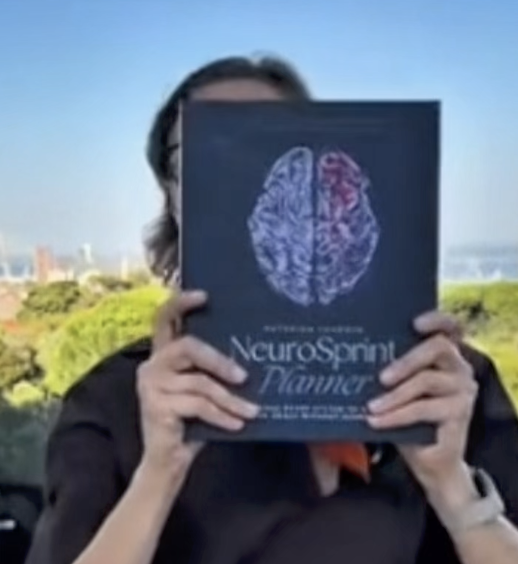
It left every blank sheet as a blank sheet, although the prompt named them, and it missed a blue book in a later segment. A model that finds the object from words decides for itself what counts as the object, and a sheet of paper did not.
We had to split the video into separate cuts and replace the objects one by one: a cut with a book, then cuts with blank sheets, each edited to show the green book we wanted.


Runway Aleph 2.0
Runway positions Aleph as the editor for real footage: replace a product or a character, remove an object, change the background or wardrobe, relight, add weather or effects, all from a text instruction. It takes the longest clips of the six, up to 30 seconds with as many as ten cuts, and has the clearest price: 28 credits per edited second in the app, with a 56-credit minimum, or $0.28 a second through the API. We have not run it.
Kling O1 Edit
Kling’s editor works from natural language with up to four references: tag a character as @Element1 and a style image as @Image1 in the instruction, and it keeps the original motion while swapping what you named. Clips are 3 to 10 seconds, and at $0.168 a second on fal ($0.126 for the Standard tier) it is the cheapest per second of the paid editors here. We have not run it either.
Which one to reach for
- The object is flat and rigid - a book, a sign, a screen, a label: track its corners and pin the replacement on. No model, no redrawn hands, no per-second price.
- One object must change and the rest must stay original footage - SwitchX, if the clip is 20 seconds or less at 24 fps and you can show the result in one reference image.
- A product, prop or outfit swap from reference photos - Genjutsu, then check every instance it should have caught.
- One object must be replaced, removed or added, and you would rather point than mask - Seedance 2.5 Video Edit, on a host that offers marking.
- Real footage up to 30 seconds with a clear price per second - Aleph; for clips of 10 seconds or less where price matters, Kling O1 Edit.
- You are still exploring, or the change is the whole look - Gemini Omni Flash, with a few regenerations budgeted in.
Whichever editor you use, crop any face in the shot at full size against the source before keeping the take. An edit that leaves the object right and the person slightly different has not saved the shot.
Sources
- Seedance 2.5 Video Edit on WaveSpeed, Morphic’s Seedance 2.5 page and our November price note
- Beeble SwitchX documentation and Beeble Cloud pricing
- Google Flow help on video models and Gemini API pricing
- Higgsfield: Meet Genjutsu and the Genjutsu page
- Runway Aleph 2.0: features and pricing
- Kling O1 Edit on fal
One shot, the right tool
Most fixes do not need a new generation. easyai.video routes each correction to the cheapest tool that keeps the rest of the shot.
Join the waitlist ↗