
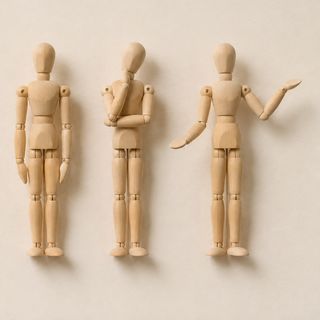
The first shot of a story looks great. In the second the hero’s jacket has different pockets, in the third the face is a cousin of the face, and by the fourth the moped is another make. Video models do not remember anything between generations, and within a long generation they drift. The working fix is not a longer description. It is a picture the model can copy from: a sheet.
Below is the method, with list prices from the original providers and the hosts we use. Where our own runs add something, it is marked as ours.
What a sheet is
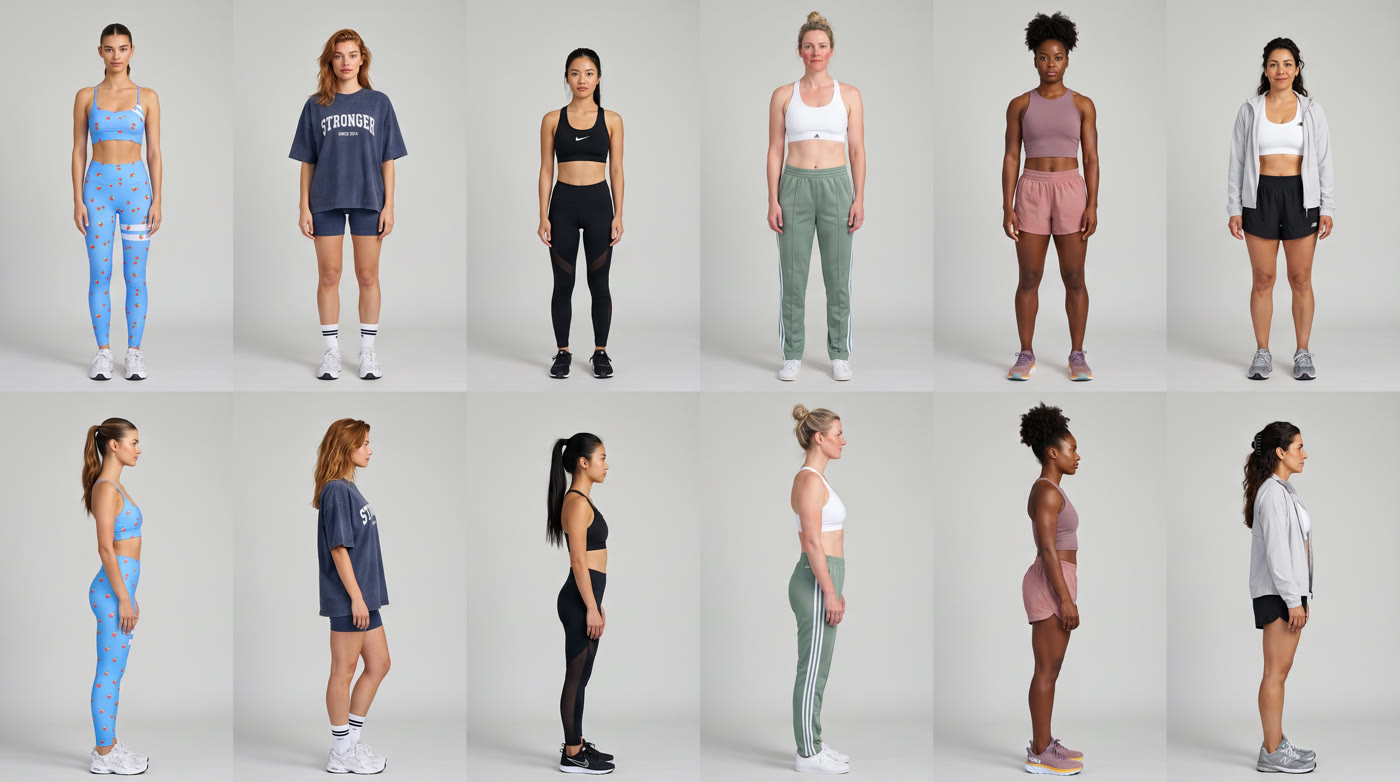
A sheet is one image that shows the same element from several angles, usually on a plain white background: front, three-quarter, side, back. The model sees every side of the thing it must keep, so it does not have to guess the back of a jacket when the character turns round.
Make one for every element that appears more than once: the character, but also the vehicle, the prop with a logo, the location. A short story about a postman on a moped might need four: the postman, the moped, a van and the market where it all happens.
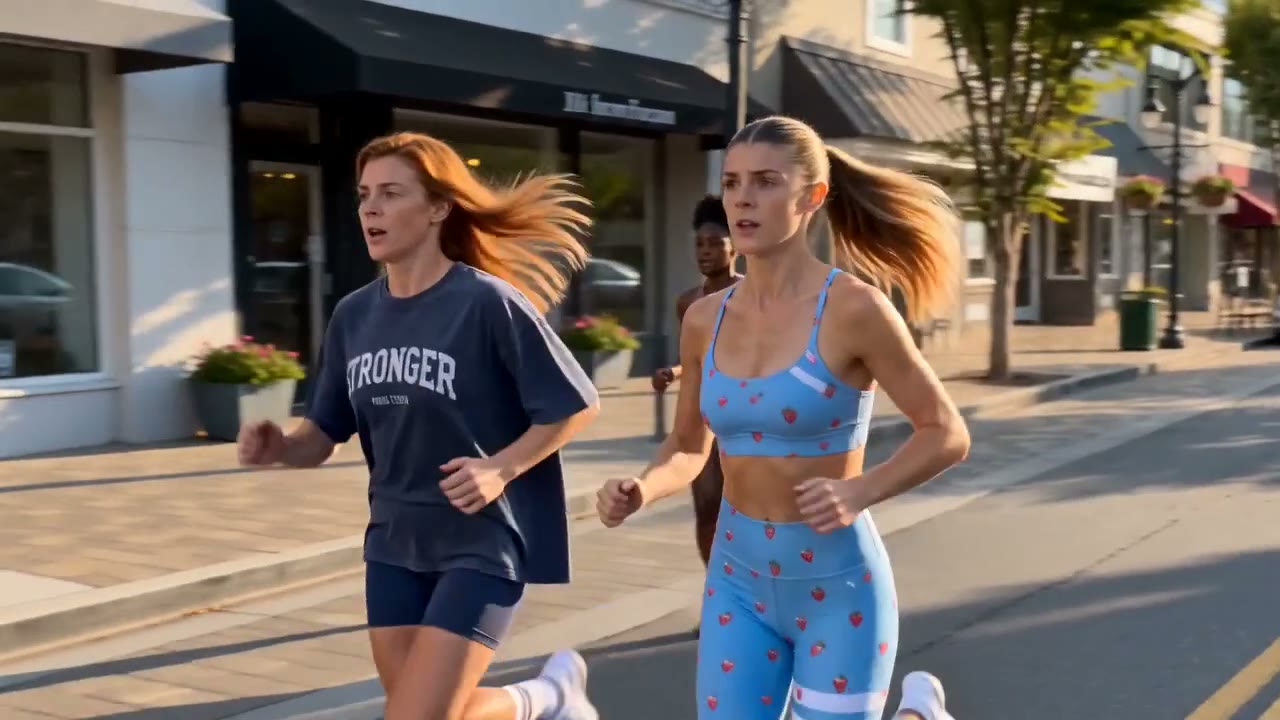
Ours, from an activewear ad: six runners, front row and side profile, each in her own outfit on a plain grey backdrop with flat light. The sheet carries faces and wardrobe only; the light and the street come from the shot’s own starting frame.
How the sheets get made
- Have a language model write the sheet prompt. Tell Claude or ChatGPT how a sheet prompt is structured, then describe each element. State the style first, and describe in detail only what matters to the story.
- Try the same prompt in several image models. They interpret style very differently, and one image each costs little. Use the winner for the remaining sheets.
- Keep one style across all sheets. Either tell the language model to reuse exactly the previous style, or attach an earlier sheet as a reference.
- Fix a sheet by showing it, not by rewriting it. Upload the image and ask in plain words for the one change you need.
- Test at medium or low image settings while the prompt is still moving, and switch to the final settings once it is right.
For a real person the input is your own photos: full-body pictures from several angles go into an image model to make the character sheet, and a second collage can do the same for the outfit.
Getting sheets into the video model
In Seedance each uploaded file gets a tag, such as @Image 1, and the prompt has to use that tag where it describes the element. Name each reference at the start of the prompt, and say what it is for: identity, location or action.
Two limits shape the plan. Seedance 2.0 Fast on fal takes up to 9 images, 3 videos and 3 audio files, 12 in total, for 4 to 15 seconds. Seedance 2.5 on Dreamina takes up to 30 images, 10 videos and 10 audio files, for 4 to 30 seconds.
More references is not more control
A higher limit does not mean you should use it. Attach what this shot needs, and make sure the references agree with each other. In our dollhouse scene, middle frames framed differently from the start frame made the camera drift and the bed appear to move, even though the prompt said the camera was locked. A later take held steady, with the move stated in the prompt and one framing chosen to set the room. In our recast, a run with six shots and nine pictures kept the old shop’s signs.
Storyboard or locations
There are two common ways to drive the action. A storyboard grid shows the key moments, and every flaw in it can come through, so fix bad frames in an image editor before spending a video generation. Empty location frames, with no characters or objects in them, leave the model to work out the action. Either way, keep the character’s sheet attached: a face in a small storyboard frame is not a clean reference.
What it costs
| Step | Model and settings | Where | Price |
|---|---|---|---|
| One sheet or storyboard image | Seedream 5.0 Lite | fal | $0.035 |
| One sheet or storyboard image | GPT Image 2, medium, 2560 × 1440 | fal | $0.056 |
| One sheet or storyboard image | Nano Banana 2, 2K | $0.101 | |
| A 100-character voice line for the audio reference | Eleven v3 | ElevenLabs | $0.008 |
| Test take | Seedance 2.5, 720p | BytePlus | about $1.16 |
| Test take | Seedance 2.0 Fast, 720p | fal | about $1.21 |
| Final take | Seedance 2.5, 1080p | BytePlus | about $2.84 |
| Final take | Seedance 2.5, 1080p | fal | about $5.69 |
The arithmetic is the argument for sheets. A sheet costs cents; a 30-second take at 1080p costs about $17 on BytePlus, and more if it drifts and you run it again. It is also the argument for testing at a lower resolution first, then spending on the final only once the action works.
Even with good sheets, splice
A perfect complex take on the first try is rare. Because the sheets keep every element the same from one take to the next, you can keep all of them, failures included, and cut the good seconds together in an editor.
From our own runs
Let the sheet carry the identity and keep skin features out of the words. In one of our restyles of a real person, naming her freckles in the prompt turned them into dark blotches across the face; the rerun without the word came back clean. Check every face at full size against the sheet before keeping a take.
Keeping locations consistent
Treat a place like a character. Make one reference per location and reuse it, unchanged, in every shot set there. An empty frame works well, with no characters or objects in it, made in the same style as your other sheets. One Prompt Studio used a single picture of the studio, and the prompt named it as “exactly this layout”. Small objects still moved, so check the things your story depends on.
When a real location has to survive, as in our recast of a 16-second commercial, each new place was made as a still and approved first, and every tool got the same still. Kling 4.0 made the strongest location swaps, and Wan 3.0 kept the place only in short runs. A run with six shots and nine pictures kept the old shop’s signs.
Keeping lighting consistent
Decide which reference is responsible for the light, and tell the model. Our activewear sheet used flat light on a plain grey backdrop, so that it carried only faces and wardrobe, and the street and late sun came from the shot’s own starting frame. If a sheet has dramatic light, the model may bring it into every scene. We wrote the same light into each prompt too, with its direction and time of day.
Keeping camera angles consistent
Shots cut together when the camera behaves like one camera. Keep it on the same side of the action from shot to shot, so that people keep facing the same way. A published life-story reel we studied used the same camera description in every prompt and changed only the focal length, and it repeated a composition paragraph word for word when it returned to a place. That reel’s twenty-two clips held together as one world. Keep each move small in short shots.
Using a shared frame between shots
To cut between two shots with no visible jump, end one and start the next on the same picture. In our dollhouse scene, the composition lined up at the join, but the skin texture of a large face differed slightly. Hide the join with movement or a cut, and see the other ways to connect scenes.
Sources
- Seedance 2.0 Fast on fal: reference limits and price
- Our November price note: Seedance 2.5 rates
- Seedream 5.0 Lite on fal, GPT Image 2 on fal and Gemini API pricing: image prices
- ElevenLabs API pricing: voice lines
Consistency is a workflow
Sheets, tags and test takes are the dull part that decides whether a story holds. easyai.video, now in development, is being built to keep them in one place from the first sheet to the export.
Join the waitlist ↗